
Great Canadian Training Company color logo
coming-soon

Microsoft Copilot Training in Calgary | Get Started with Microsoft 365 Copilot Training Courses

Calgary, Boost Your Productivity with Microsoft 365 Copilot Training

Artificial intelligence is showing up in more Calgary workplaces. But nobody has time for AI that sounds impressive and doesn't get anything done.

Microsoft Copilot puts AI to work in the Microsoft tools many Calgary businesses already use. It can help you draft, summarize, analyze and organize everyday work faster.

Our instructor-led training cuts through the hype and focuses on practical skills: using Copilot effectively, writing better prompts, and knowing when your own experience and judgement need to lead.

Whether you work in energy, construction, finance, technology or beyond, our hands-on training is built for the way Calgary works.

Because AI is only useful if it helps you get the job done.

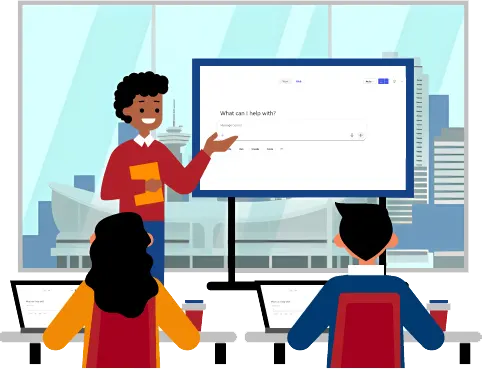
Trainer delivering copilot interface to students in a classroom with Calgary skyline in the background

Why Alberta Loves The Great Canadian Training & Consulting Company

If you're looking for GREAT training in the Greater Calgary area, look no further!

Copilot Training Courses Designed For How You Work

Our training focuses on the real work you do, not just what artificial intelligence can do in theory. That means talking about how to use it in the oil and gas industry to summarize drilling and production updates. Or using Copilot to turn your field observations into action items.

We also make sure your training fits around field operations and project deadlines. We offer flexible scheduling and customizable objectives for private training, so each session can focus on the tools, workflows and outcomes that matter most to your team.

This goes beyond writing prompts. You'll learn to use Copilot to save time, find information faster, communicate clearly and reduce repetitive work while knowing when your experience and judgment need to lead.

Image showing buildings in Calgary, AB

Get More From Your Microsoft 365 Copilot Licence

If you're going to invest in training, let's make sure you get it right.

That means choosing training designed for how you work and what you need to accomplish.

We respect the time employees spend away from their regular work. We regularly review and update our courses as Microsoft introduces new features and organizations find new ways to use them.

Our support continues after you book. We help you choose the right training, coordinate the details, support participants, gather feedback and evaluate the session.

Our “Learn or Come Back Free” and “Guaranteed to Run” policies apply to all public courses. Every course includes after-training support, while private training lets you customize course objectives around your team’s needs.

Multicolored Microsoft Excel logo

Microsoft Copilot Training That Works for Your Team

Your training should fit around the work, not the other way around.

Choose the format that makes sense for you, whether that's onsite training in Calgary or online wherever you are. We offer regularly scheduled public online courses and private, customized training.

Public courses are a practical option for individuals or small groups who want to follow our standard course outline. If you’re training a larger team or have specific goals in mind, private training gives you more control. You can customize the learning objectives, work with your own files and examples and schedule sessions around your team's workload, deadlines and availability. We also offer workshops and webinars. Workshops let you zero in on a specific Copilot skill or challenge, while webinars are a practical way to introduce a larger group to AI concepts and best practices. There’s less interaction than you’ll get in a full course, but we always make time for questions. Ask our team which option is right for you.

Work Smarter with the Right Copilot Course

Whether you're new to artificial intelligence or want to integrate it with your Microsoft 365 applications, we have something for everyone.

If you're getting started with artificial intelligence...

We have developed courses for users of either the Free version of Copilot or Copilot Pro.

If you're looking to become an AI-powered organization...

We have courses that help organizations develop AI policies, establish responsible-use practices and prepare their teams to use AI appropriately.

If you're looking to master Copilot with other Microsoft Office applications

We have courses that focus on integrating Copilot with other programs, such as PowerPoint, Teams, Outlook, Excel, and more.

If you're looking for corporate training on Copilot specific to your workflow

This series of Copilot workshops helps you make the most of Copilot and is specifically designed for various roles.

Testimonials and Google Reviews

"Just finished a training session on "Copilot in the Modern Workplace" excellent course, very helpful and the instructor was excellent."

Beverly McKeage · 2/9/2026

★★★★★

"Absolutely loved the course I’ve taken. Top-notch service. Thank you."

Olga Bielinska · 8/31/2025

★★★★★
"Great training!"

Anne Turmaine · 6/16/2025

★★★★★
"Great instructor; friendly and knowledgeable. Concise instructions and stayed on track. Highly recommend!"

C Fraser · 4/6/2025

★★★★★
"Excellent course and instructor. I highly recommend."

Michelle Raizenne · 3/30/2025

★★★★★
"Instructor was very patient with the group. Learning exercises were very practical."

Heather Haakstad · 1/23/2024

★★★★★
"How to use Excel with Copilot was very helpful"

Shared by a recent client · Getting Started with Copilot and Your Microsoft Applications — Testimonial

★★★★★
"Nice instructor, it was interesting to go through a variety of programs (Excel, Word, PPT, etc.)."

Feedback from a valued government client · Custom Getting Started with Copilot and Your Microsoft Applications — Testimonial

★★★★★
"Useful tips and tricks on using AI in the workplace for MS apps."

Words from one of our recent public sector clients · Custom Getting Started with Copilot and Your Microsoft Applications — Testimonial

★★★★★
"Greg was extremely knowledgeable about the subject matter."

Shared after attending one of our classes · Getting Started with Copilot and Your Microsoft Applications — Testimonial

★★★★★
"It was very informative, learned a lot today! Thank you Gloria."

Feedback from a business professional · Harnessing Copilot Free in Microsoft 365 — Testimonial

★★★★★
"The presenter was very knowledgeable and interactive. I learned a lot of new information which I can use in my role."

From a recent participant in our training program · Harnessing Copilot Free in Microsoft 365 — Testimonial

★★★★★
"My favourite part about the training was the actual presenter. She was very self-assured, calm, cool and patient."

Words from a happy private sector client · Harnessing Copilot Free in Microsoft 365 — Testimonial

★★★★★
"I feel that the one hour format is perfect. It's simpler to incorporate into your schedule and also great to be able to remain engaged and attentive."

From a government client about one of our webinars · AI at Work: Practical Applications for Everyday Tasks — Testimonial

★★★★★
"The trainer was well prepared and delivered the content in a way that was interesting to keep me engaged for several hours."

What one of our clients had to say · Custom Copilot — Testimonial

★★★★★
"The training was insightful and gave me confidence in the use of Copilot to assist with Microsoft programs."

Words from a client who enjoyed learning with us · Custom Copilot — Testimonial

★★★★★
"I would highly recommend Great Canadian Training. The instructor was knowledgeable, engaging, and well-prepared. The content was relevant, easy to follow, and immediately applicable to my day-to-day work."

Shared by a satisfied training participant · Custom Copilot — Testimonial

★★★★★
"This training has provided practical skills and knowledge that will help me work more efficiently and effectively. Applying these skills will support continuous improvement, increase productivity, and contribute to better outcomes for both my team and the organization."

From a happy participant after attending our course · Custom Copilot — Testimonial

★★★★★
"The hands-on demonstrations and practical examples were the most valuable part of the training. The instructor explained concepts clearly and provided real-world applications that made the material easy to understand and relevant to my role."

Feedback from a client following one of our classes · Custom Copilot — Testimonial

★★★★★
"I enjoyed the live demos, showing the prompts through Copilot and seeing how the AI can help in the software that I use every day (Word, Powerpoint, Excel)."

A satisfied client sharing their experience · Custom Copilot — Testimonial

★★★★★
"One of the most applicable and user-friendly sessions I have attended. Highly recommend."

From a satisfied client after a great training experience · Copilot for the Modern Workplace — Testimonial

★★★★★
"I would say I have been a little bit rusty on my command prompt but after the training I knew that I could be better and I immediately applied the skills and it was worth it."

From a pleased participant after their training · Custom Copilot — Testimonial

★★★★★

FREE Resources to Help You Use Microsoft AI Tools

We hope you'll visit our FREE Resources Page!. Choose from a list of our most commonly used shortcuts, blog articles and our previous FREE webinars.

Frequently Asked Questions About Our Microsoft Copilot Training Courses Calgary