

"Just finished a training session on "Copilot in the Modern Workplace" excellent course, very helpful and the instructor was excellent."
Beverly McKeage · 2/9/2026
★★★★★


Copilot is being introduced into more and more workplaces. Whether you're working in Tunney's Pasture or Kanata's tech hub, you've probably been hearing a lot about how Copilot and AI can help you streamline your workday and get more done.
We help you move past the hype and learn how to use Copilot effectively in the real world. Our instructor-led training focuses on real workplace scenarios. We will show you what Copilot can do, when to use it, how to write better prompts, and where your own expertise still matters most.
Whether you're exploring artificial intelligence for the first time or integrating Copilot with other Microsoft programs, we have a course designed to meet you where you are. Our courses have been proven to meet the unique demands of Ottawa's workforce, including the public sector.
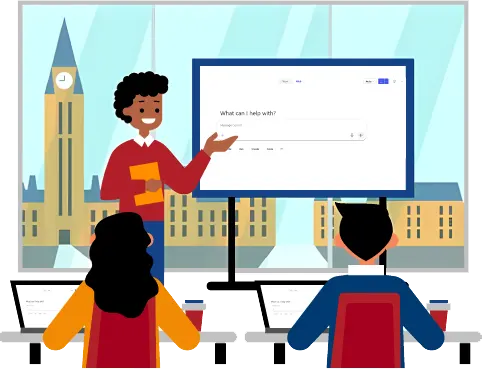
If you're looking for GREAT training in the National Capital Region, look no further!
Government work is different. So is the training that supports it.
Whether you're a federal employee or work with one of the many businesses that serve the Government of Canada, our instructors understand the unique challenges of your environment. With experience working inside government agencies at every level, we're equipped to deliver practical, relevant training that fits the way you work.
If you are employed by the Government of Canada, we have an active standing offer and supply arrangement: E60ZT-180025/213/ZT.


Technology is changing quickly, and our training keeps up. We are regularly reviewing and updating our courses to reflect new features, real workplace use cases, and the questions we hear from learners every day.
We make sure our approach is balanced and practical. On one hand, we know AI is not a replacement for human judgment. On the other hand, we know it’s more than a trend and part of the modern workplace. That’s why we show you how to use it thoughtfully, confidently, and effectively across the Microsoft 365 tools you already use.
From the moment you reach out, our team is here to help you choose the right course, coordinate your training, support your participants, gather feedback, and evaluate the success of your session.
Our “Learn or Come Back Free” and “Guaranteed to Run” policies apply to all our public courses. Plus, our courses always include after-training support and with private training, you have the option to customize your course objectives.

Learn the way that works best for you, whether that's online, onsite at your workplace, or at our Ottawa training centre.
Our instructor-led courses provide the most hands-on learning and implementation. We offer both regularly scheduled public classes and private, customized training. Public classes are ideal for individuals or small groups that wish to learn our standard outline.
Private training allows you to customize your outline and learning objectives specifically for your team. You can connect your learning to your workflows by using your own files instead of our exercise files. You can also schedule your sessions in a way that works best for your team.
We are also happy to offer workshops and webinars. Workshops are ideal for shorter, focused learning on a specific Copilot topic, while webinars are a great way to introduce AI concepts and best practices. Although workshops and webinars involve less interaction than a full course, we always leave plenty of time for your questions.
Whether you're new to generative AI or want to integrate it with your Microsoft 365 applications, we have something for everyone.
We have developed courses for users of either the Free version of Copilot or Copilot Pro
We have courses that focus on developing AI policies and on responsible use in public-sector settings.
We have courses that focus on integrating Copilot with other programs, such as PowerPoint, Teams, Outlook, Excel, and more. Additionally, our Microsoft 365 courses include guidance on how best to leverage Copilot within the program.
This series of Copilot workshops are designed to help you make the most of Copilot specifically within your role.
We hope you'll visit our FREE Resources Page!. Choose from a list of our most commonly used shortcuts, blog articles and our previous FREE webinars.